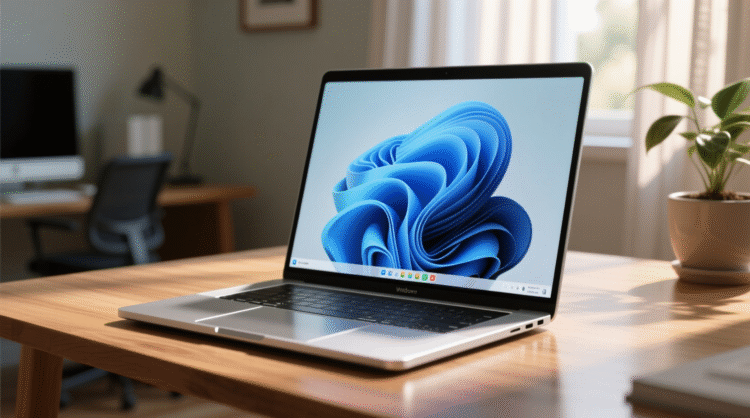




Digital Magazine – When Microsoft unveiled Windows 11 back in 2021, the tech community was divided. For some, it was a breath of fresh air after years of Windows 10 fatigue; for others, it felt like little more than a visual overhaul. Fast forward to 2025, and that narrative has changed. With Windows 10 now officially reaching its End of Life, millions of users are finally making the jump and they’re discovering a far more refined and forward-thinking operating system than the one that debuted four years ago.
From a renewed focus on design consistency to deep integration of AI through Copilot, Windows 11 has matured into an operating system that feels both familiar and futuristic. Here’s a closer look at how Microsoft’s flagship OS has evolved into one of the company’s strongest releases in decades.
A Visual Identity That Finally Feels Complete
Windows 11’s Fluent Design System remains its defining visual language soft edges, translucent panels, and minimalist icons dominate the experience. While early versions felt like a mere “reskin” of Windows 10, Microsoft has since tightened the interface into something cohesive and modern.
The Start Menu, centered by default, now anchors the experience. What started as a controversial design decision has grown on users, thanks to years of refinements. New features like expanded pinned apps, live device integration, and better search functionality make the Start Menu not just aesthetic, but genuinely useful.
Even classic apps have received new life. Paint now supports layers and AI-assisted editing, Notepad comes with tabs and syntax highlighting, and Snipping Tool can automatically detect and extract objects from images. These are not just cosmetic changes they show Microsoft’s willingness to modernize even the most basic utilities.
AI Takes the Wheel — But with Mixed Results
It’s impossible to talk about Windows 11 in 2025 without mentioning Copilot, Microsoft’s built-in AI assistant. Seamlessly woven throughout the system, Copilot can draft emails, summarize documents, and even generate images. It’s present across the Microsoft 365 suite, offering intelligent summaries and workflow automation.
That said, Copilot isn’t flawless. Users have reported inconsistencies in how it interprets commands or edits data-heavy files, suggesting AI’s full potential still lies ahead. Still, as a tool for accessibility, Copilot shines particularly for users with visual or motor impairments. Its real-time captioning, voice navigation, and AI-powered object recognition mark a major leap in inclusive design.
Microsoft has made it clear: AI is no longer an add-on. It’s becoming the backbone of Windows’ evolution, even if it’s still learning to walk.
Accessibility: Progress with Purpose
Windows 11 has continued Microsoft’s long-standing commitment to accessibility, introducing several new tools that make the OS more usable for everyone. The Narrator tool now provides context-aware reading, while new AI-generated captions and audio cues enhance usability for users with hearing or vision challenges.
However, there’s still room for growth. AI integration could further revolutionize accessibility for instance, real-time translation or adaptive interfaces based on user behavior. Microsoft seems aware of this potential, and with future Copilot updates, accessibility could become one of Windows 11’s biggest strengths.
Built-In Apps Get Their Renaissance
Gone are the days when users immediately downloaded third-party software to replace Windows’ native tools. In 2025, Microsoft’s built-in apps are genuinely competitive. Photos uses AI to enhance images, Clock supports focus sessions, and To-Do integrates directly with Outlook and Teams.
New additions like Clipchamp for lightweight video editing and the resurrected Windows Media Player have also added fresh functionality. Meanwhile, Phone Link now supports iPhones, bridging the once-stubborn gap between iOS and Windows ecosystems a move that’s been particularly well-received among Apple users who also own Windows laptops or PCs.
The Microsoft Store: From Afterthought to Hub
Once considered one of Windows’ weakest features, the Microsoft Store has undergone a remarkable transformation. Its redesigned interface is intuitive, fast, and packed with content from mainstream apps to niche utilities and indie games.
The recently introduced AI Hub section highlights apps that leverage artificial intelligence, from productivity tools to creative software. While its usefulness varies, it shows how seriously Microsoft is taking AI integration across its ecosystem.
Simply put, the Microsoft Store in 2025 is no longer an afterthought it’s a genuine alternative to third-party downloads.
Gaming: Microsoft Finally Nails It
Perhaps the most surprising area of growth is gaming. With Xbox Game Pass now deeply embedded into Windows 11, players can move seamlessly between console and PC. The Xbox app and Game Bar have been rebuilt for performance and usability, offering real-time system stats, audio control, and capture tools all accessible mid-game.
But the biggest leap forward is Microsoft’s foray into handheld gaming. The upcoming ROG Xbox Ally, built on Windows 11, introduces the new “Xbox Full-Screen Experience,” a UI designed specifically for portable gaming. It’s Microsoft’s most serious step yet toward competing with Valve’s Steam Deck and it signals a new chapter in Windows’ gaming ambitions.
The Case for Staying on Windows 11
In an era where users expect yearly overhauls, Microsoft’s approach feels refreshingly stable. There’s still no Windows 12, and perhaps there doesn’t need to be. Instead, Microsoft has adopted a model similar to Apple’s macOS, rolling out consistent, meaningful updates under the same version name.
Features like Snap Groups, Virtual Desktops, and HDR support continue to evolve, while subtle enhancements from new compression formats to more intuitive multi-monitor support make everyday computing smoother.
Windows 11 today is not the OS it was in 2021. It’s faster, cleaner, and more adaptable. And most importantly, it’s ready for the future.
Final Thoughts: Windows 11 Becomes a Modern Classic
Four years after its debut, Windows 11 has come into its own. What began as a divisive upgrade is now a confident, capable platform a blend of refined design, AI innovation, and accessibility-first thinking.
Microsoft has done what few expected: it’s built an operating system that doesn’t need a successor just yet. Whether you’re upgrading from Windows 10 or diving into a new PC in 2025, Windows 11 represents Microsoft’s most complete vision of modern computing to date.