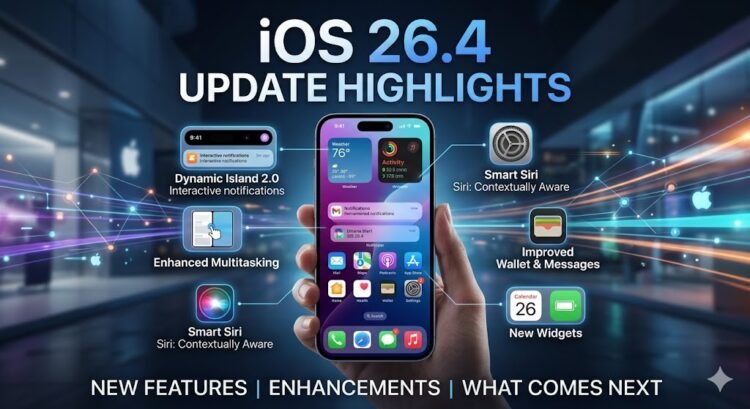
Digimagaz.com – Apple’s upcoming iOS 26 update is still weeks away from its official release, but eager iPhone users can already explore its redesigned interface and new features through the recently launched public beta. The update, expected to roll out this fall, represents one of the most significant visual and functional overhauls in recent years, aligning with Apple’s broader strategy to unify its software ecosystem under a fresh design language.
A Shift to Year-Based Versioning
Departing from its traditional numerical sequence, Apple is naming the new update “iOS 26” rather than iOS 19. The move is part of a shift toward year-based naming, bringing iOS in line with automotive-style model years. While iOS 26 will debut in late 2025, the version name reflects the 2026 product year. Current iOS 18 devices will still receive maintenance updates until the transition.
Liquid Glass: Apple’s Bold New Aesthetic
The most eye-catching change is the introduction of Liquid Glass, a semi-transparent interface design that refreshes the home and lock screens. This aesthetic extends across widgets, app backgrounds, and interface elements, adapting dynamically to light and dark modes. The design introduces softer, floating buttons in core apps like Phone and Maps for a more cohesive and less intrusive experience.
While reminiscent of Microsoft’s Aero Glass effect from Windows Vista, Liquid Glass aims for a modern interpretation optimized for today’s high-resolution displays. Early beta feedback has already prompted Apple to slightly reduce transparency in certain areas for improved readability.
Practical Enhancements to Everyday Apps
Beyond the visual overhaul, iOS 26 focuses on small but impactful quality-of-life improvements:
-
Phone App Redesign: Users can now access contacts, recent calls, and voicemail in a single scrollable view. A new “Hold Assist” feature alerts you when a representative joins your call, freeing you from endless hold music.
-
Live Translation: Available in Phone, FaceTime, and Messages, this feature provides real-time language translation for calls and texts, potentially bridging communication barriers on the go.
-
Message Filtering: Spam and unknown senders can be automatically sorted into a separate folder, reducing clutter in the main inbox.
-
Group Chat Polls: Built-in polling tools make it easier to organize group decisions without sifting through long message threads.
-
Visual Intelligence: Similar to a visual search tool, this allows users to identify and shop for items directly from images on their screen.
-
Restored Photo Tabs: The Library and Collections views return as separate tabs, addressing user feedback from last year’s layout changes.
-
FaceTime Safety Tools: A new privacy safeguard pauses video feeds if nudity is detected, with on-device processing to maintain security.
iPadOS 26 and AirPods Updates
The iPad version of iOS 26 introduces true multitasking with resizable app windows, a streamlined menu bar, and Liquid Glass styling. Meanwhile, AirPods gain “studio-quality” audio recording and a camera remote control function, allowing users to capture photos or videos with a tap.
Device Compatibility
iOS 26 supports iPhones released in 2019 or later, including the iPhone 11 series, iPhone SE (2nd generation and newer), and the latest iPhone 16 lineup. Models such as the iPhone XR, XS, and XS Max will not receive the update.
Installing the Public Beta
The iOS 26 public beta is available through the Apple Beta Software Program. Users can enroll with their Apple ID and install the update via Settings > General > Software Update. Apple advises against installing beta software on a primary device due to potential stability issues.
Expected Release Timeline
Based on past patterns, Apple is expected to release the final version of iOS 26 in mid-September, shortly after unveiling its next iPhone lineup.