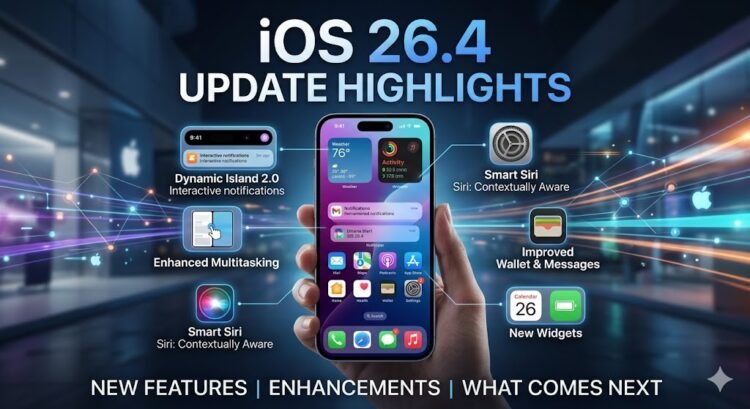
Digimagaz.com – Apple has officially released iOS 26 and iPadOS 26, marking one of the most significant updates in recent years. The rollout, which began yesterday, brings major design changes, fresh tools, and some tough news for owners of older iPhones. If you’re unsure whether your device is eligible or wondering whether to upgrade now, here’s everything you need to know.
Which iPhones No Longer Support iOS 26
For the first time since 2023, Apple is trimming its compatibility list. Three iPhones introduced in 2018 are no longer supported:
-
iPhone XR
-
iPhone XS
-
iPhone XS Max
This means iOS 26 requires an iPhone from 2019 or later. While it may disappoint long-time users, Apple’s decision reflects the growing hardware demands of its new features.
iPhones That Support iOS 26
According to Apple, the following iPhones are eligible for the update:
-
iPhone SE (2nd generation)
-
iPhone SE (3rd generation)
-
iPhone 11
-
iPhone 11 Pro
-
iPhone 11 Pro Max
-
iPhone 12
-
iPhone 12 mini
-
iPhone 12 Pro
-
iPhone 12 Pro Max
-
iPhone 13
-
iPhone 13 mini
-
iPhone 13 Pro
-
iPhone 13 Pro Max
-
iPhone 14
-
iPhone 14 Plus
-
iPhone 14 Pro
-
iPhone 14 Pro Max
-
iPhone 15
-
iPhone 15 Plus
-
iPhone 15 Pro
-
iPhone 15 Pro Max
-
iPhone 16
-
iPhone 16 Plus
-
iPhone 16 Pro
-
iPhone 16 Pro Max
-
iPhone 16e
-
iPhone 17
-
iPhone 17 Pro
-
iPhone 17 Pro Max
-
iPhone Air
If you own any of these models, you’ll be able to download iOS 26 directly through Settings → General → Software Update.
iPads That Support iPadOS 26
On the tablet side, Apple’s newest update covers the following devices:
-
iPad Pro (M4)
-
iPad Pro 12.9-inch (3rd generation)
-
iPad Pro 12.9-inch (4th generation)
-
iPad Pro 12.9-inch (5th generation)
-
iPad Pro 12.9-inch (6th generation)
-
iPad Pro 12.9-inch (7th generation)
-
iPad Pro 11-inch (1st generation)
-
iPad Pro 11-inch (2nd generation)
-
iPad Pro 11-inch (3rd generation)
-
iPad Pro 11-inch (4th generation)
-
iPad Pro 11-inch (5th generation)
-
iPad Air (3rd generation)
-
iPad Air (4th generation)
-
iPad Air (5th generation, M2)
-
iPad Air (6th generation, M3)
-
iPad (8th generation)
-
iPad (9th generation)
-
iPad (10th generation, A16)
-
iPad mini (5th generation)
-
iPad mini (6th generation)
-
iPad mini (7th generation, A17 Pro)
iOS 26’s Most Notable Features
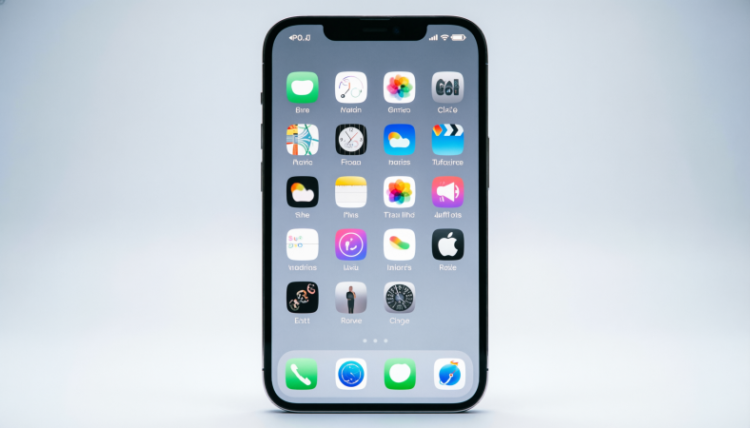
Beyond eligibility, the real buzz around iOS 26 is its “Liquid Glass” design language, a bold visual update that Apple describes as a unifying look across its platforms. Inspired by transparency effects, it gives apps and menus a floating, glassy feel reminiscent of past desktop aesthetics.
Other standout features include:
-
Phone app overhaul – A cleaner interface and Hold Assist, which alerts you when a customer service agent picks up.
-
Live Translate – Real-time translation during calls or text conversations.
-
Group Polls in Messages – Built-in polling to simplify group decisions.
-
New Lock Screen Tools – 3D wallpapers, advanced widgets, and better focus options.
-
Customizable Snooze – Adjust alarm snooze times from one to 15 minutes.
-
Camera Enhancements – A redesigned app layout and lens-clean detection.
-
Smarter Screenshots – Reverse search images or query ChatGPT directly from the screenshot editor.
Should You Upgrade Right Away?
When you check Software Update in Settings, you’ll see two options: iOS 18.7 and iOS 26. The former provides important security fixes for those hesitant to leap into major changes, while iOS 26 delivers the full feature set.
For most users, upgrading to iOS 26 will be worth it. Apple has spent months fine-tuning the update through beta testing, and any remaining bugs are likely to be patched quickly. However, if stability is your top priority, you can safely stay on iOS 18.7 for now.
The Bottom Line
With iOS 26, Apple has introduced one of its most visually striking updates in years while also refining practical tools like calling, messaging, and translation. If you own a compatible iPhone or iPad, the upgrade promises both fresh aesthetics and meaningful functionality. For those on older models, however, the era of updates has officially come to a close making this a good time to consider whether it’s time for new hardware.