Table of contents:
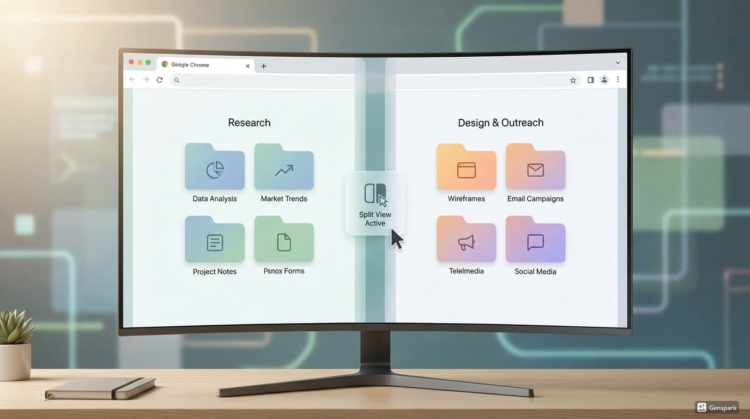
Digimagaz.com – Google Chrome continues to refine how users manage an ever-growing number of browser tabs, and its latest update takes a noticeably practical direction. Rather than adding visual flair, Chrome has introduced Split View tabs, a feature that allows two webpages to appear side by side within a single browser window.
For users who rely on Chrome for research, writing, or comparison shopping, tab overload is more than a minor annoyance. When dozens of pages are open at once, icons shrink, navigation slows down, and productivity suffers. Traditional solutions such as opening multiple windows or grouping tabs help to an extent, but they often create new layers of complexity.
Split View tabs offer a more direct fix. By displaying two active tabs at the same time, Chrome reduces the need to constantly switch back and forth, keeping both sources visible and accessible.
How Split View Works in Practice
Chrome’s Split View is designed to be simple and unobtrusive, fitting naturally into existing workflows. Here is how it functions once enabled:
- Activation from the tab bar
Users can right-click on any open tab and choose the Split View option to pair it with the current tab in the same window. - Side-by-side interaction
Both tabs appear simultaneously, each taking up half of the screen, and remain fully interactive for scrolling, clicking, and typing. - Built-in layout controls
A small Split View management icon appears in the toolbar, offering quick options to adjust the layout without opening menus. - Flexible view management
Users can close either the left or right tab independently, swap their positions on screen, or exit Split View entirely and return to a single-tab layout. - Seamless continuation of tasks
Forms can be filled out while referencing another page, documents can be compared line by line, and sources can be checked without losing context.
If the Split View option is not visible, updating Chrome to the latest version usually resolves the issue, as the feature is tied to newer releases.
Why Split View Is More Than a Minor Update
While Split View tabs may not grab attention with bold design changes, their impact becomes clear in daily use. Tasks that require constant cross-referencing feel faster and more natural, reducing mental load and unnecessary navigation.
The update also highlights a broader trend in browser development. Chrome is increasingly positioning itself as a productivity platform rather than just a browsing tool, recognizing that many users now treat their browser as a primary work environment.
A Small Change With Everyday Benefits
Split View tabs may seem subtle at first, but they address one of Chrome’s longest-standing frustrations. For users who regularly handle multiple sources of information, the feature quickly becomes hard to give up.
By focusing on efficiency instead of spectacle, Google has delivered a quiet improvement that makes modern browsing feel more controlled and intentional. Over time, that kind of refinement can matter more than any headline feature.